[email protected]
INSTRUCTION SYSTEMS FOR OPERATOR EXECUTION

We build SWI visual systems

Turn your process into step-by-step visual guides your partners actually follow. Process analysis, variation logic and the visual execution layer — in one engagement.

SEE THE AVT CASE
WE WORK REMOTELY. NO FILMING. NO DISRUPTION.
JUST YOUR DOCUMENTATION AND A FEW CALLS.

Why complex products are hard to scale

01

Onboarding takes too long

New partners and technicians don't know where to start. They ask the same questions. Your team burns out explaining.

02

Mistakes cost money

Wrong setup. Repeat visits. Failed onboarding. Support gets overwhelmed. Conversion drops.

03

Text instructions don't work

PDFs and manuals get ignored. People figure it out on their own — and make mistakes.

04

Knowledge doesn't scale

Every time someone new joins, you start from scratch. Your process depends on people, not systems.

Most studios ask: “What should it look like?”

We ask: “Where do you lose money?”

How we work

Before anything gets built, we understand exactly where your process breaks — and for whom. Four stages, each with an output you keep.

01
MAP

We map your process

We go through your process the way a new partner actually experiences it — step by step, not from a high-level deck. Every decision point, every place where two people could interpret an instruction differently.

OUTPUT A full process map with every branch and variation.
02
DIAGNOSE

We find where it breaks

Most processes don't fail because people are careless — they fail because the process has more variations than anyone documented. We identify every configuration that changes the outcome, and where partners are most likely to guess wrong.

OUTPUT Every variation that needs its own instruction, ranked by risk.

03
LOGIC

We build the logic

Before a single frame is built, we design the decision tree that gets each person to the exact instruction for their situation — not a generic manual they have to search through.

OUTPUT The filtering and routing logic — what gets asked, what each answer leads to.

04
BUILD

Then we build the visual layer

Only now does production start — step-by-step visual guides, 3D breakdowns, or short instructional video, built to embed directly into your product or workflow. No new platform to adopt.

OUTPUT Instructions partners follow without calling your team.

CASE / AVT

A tutorial system inside the product

Automotive Virtual Tours (automotivevt.com) — US automotive-tech startup. A SaaS platform for interactive 3D vehicle tours, built on a patented shooting methodology that every operator must execute precisely.

The problem wasn't mistakes. It was transferability. Text manuals didn't work for a physical process; live video couldn't show what a camera can't see.

AVT needed a visual system embedded inside the product — one that scales to every vehicle type.

2
YEARS PARTNERSHIP
7+
TYPES OF VEHICLE
200+
VIDEO TUTORIALS

It's product work

The same four stages, run inside AVT's product.

STEP 01

Research & classification

We take one vehicle family at a time and break it down into the configurations that actually change the shooting methodology. Nine shooting levels per body type, one to four variations on almost every level — from panorama markers and the wheel-rim pass to interior passes and push-pin details.

  • VANS, PICKUPS, SEDANS/SUV, TRUCKS, BUSES AND RV
  • TRUCKS ALONE SPLIT INTO DAYCAB, MID-ROOF, FULL-SLEEPER, LONG-NOSE, CABOVER
  • A BRIEF FORM THE CLIENT FILLS ONCE PER BODY TYPE, SO NOTHING IS ASKED TWICE

OUTPUT · A CONFIGURATION MATRIX: 9 LEVELS × 1–4 VARIATIONS PER BODY TYPE

STEP 02

App logic

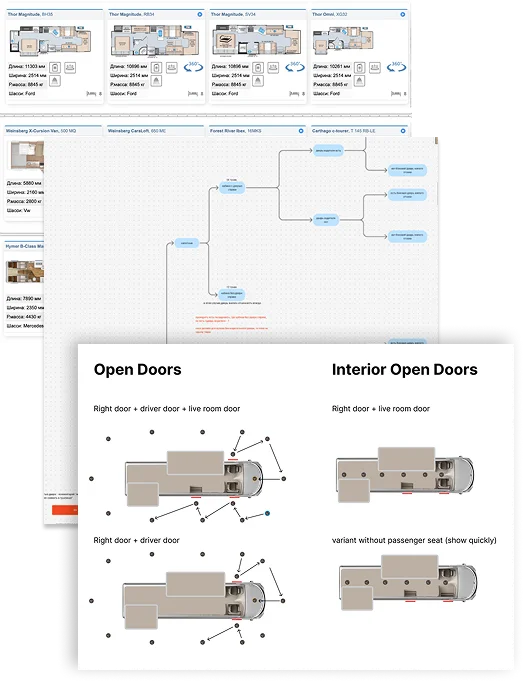
Then we decide how few instructions the system actually needs. Levels where the configuration does not change the shot get merged into one standard module; only the levels where it matters get their own. That logic sits behind the filters in AVT's app — the partner answers a couple of questions about the vehicle in front of them and lands on one tutorial, not a library.

  • VANS: 38 MODULES INSTEAD OF 112 — THE SAME COVERAGE
  • FEWER MODULES MEANS A DETAIL CHANGE TOUCHES A FEW FILES, NOT ALL OF THEM
  • FROM THE SIXTH BODY TYPE ON, WE DEFINE THE SPLIT OURSELVES

OUTPUT · VARIATION → MODULE MAP BEHIND THE APP FILTERS

Classification matrix and app filter logic
STEP 03

Storyboard

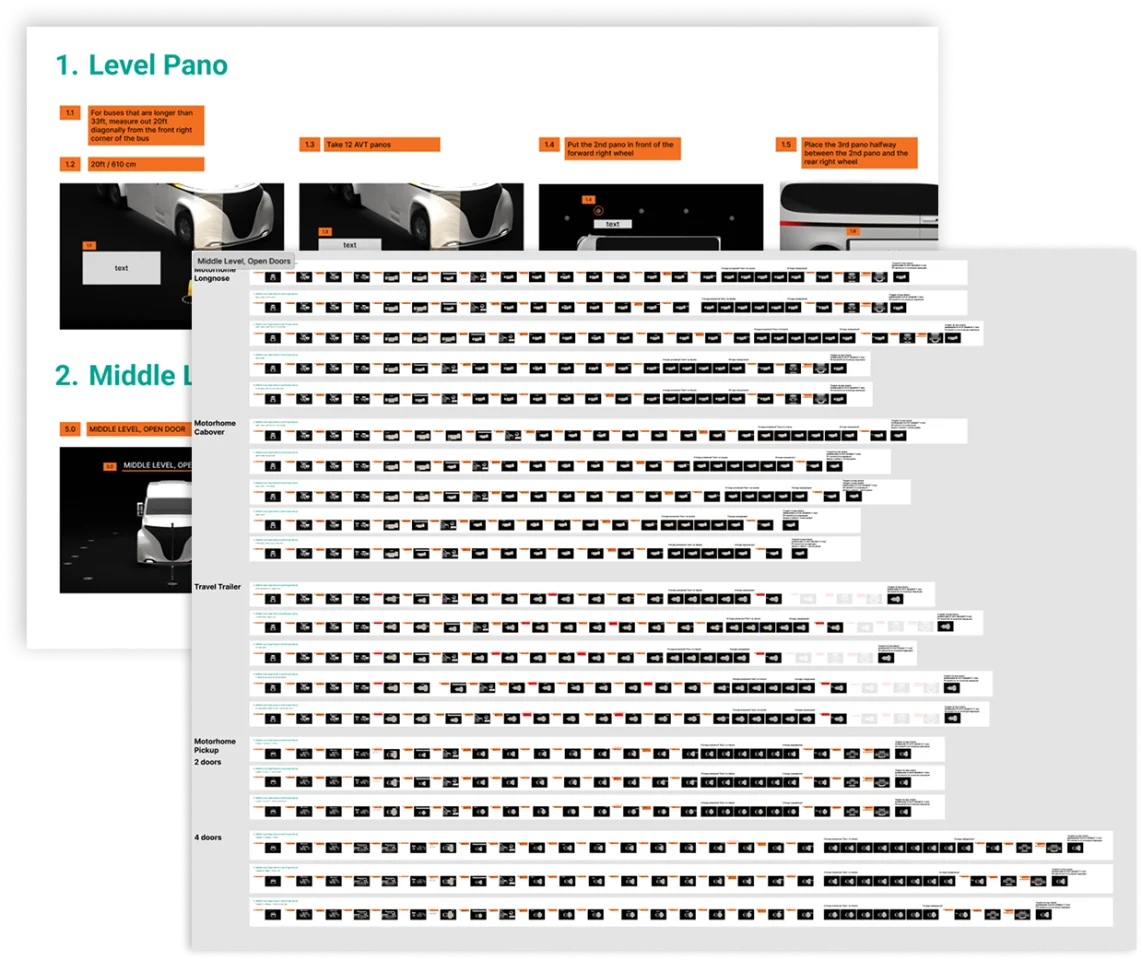
Each level gets a storyboard on a fixed template: camera path, operator sequence, and the on-screen text for every frame written next to that frame. The client edits copy in the sheet instead of scrubbing a draft video and noting timecodes. Levels are approved one by one, so production on one starts while another is still in review.

  • A STORYBOARD TEMPLATE PER LEVEL — VARIANTS KEPT OR REMOVED, NEVER REDRAWN
  • BLOCKING ON PRIMITIVES APPROVES CAMERA MOTION BEFORE FINAL ANIMATION
  • DELIBERATE PAUSES MARKED WHERE THE OPERATOR MUST STOP AND LOOK

OUTPUT · APPROVED STORYBOARD AND FINAL ON-SCREEN COPY, LEVEL BY LEVEL

Storyboard sheet
STEP 04

CGI production

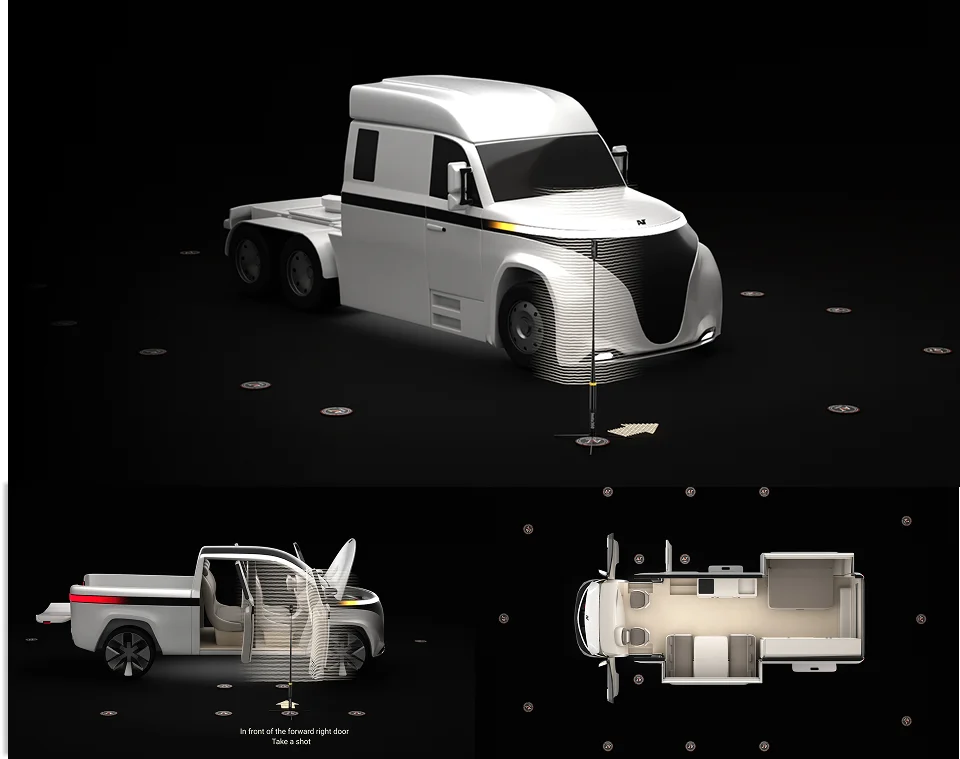
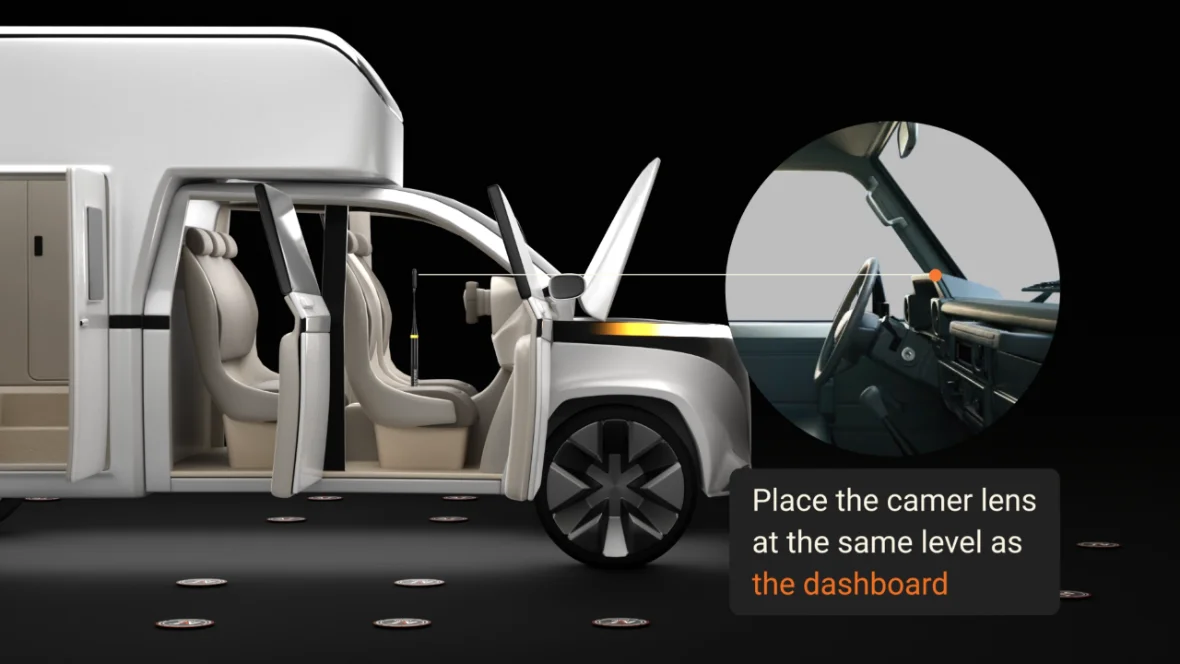
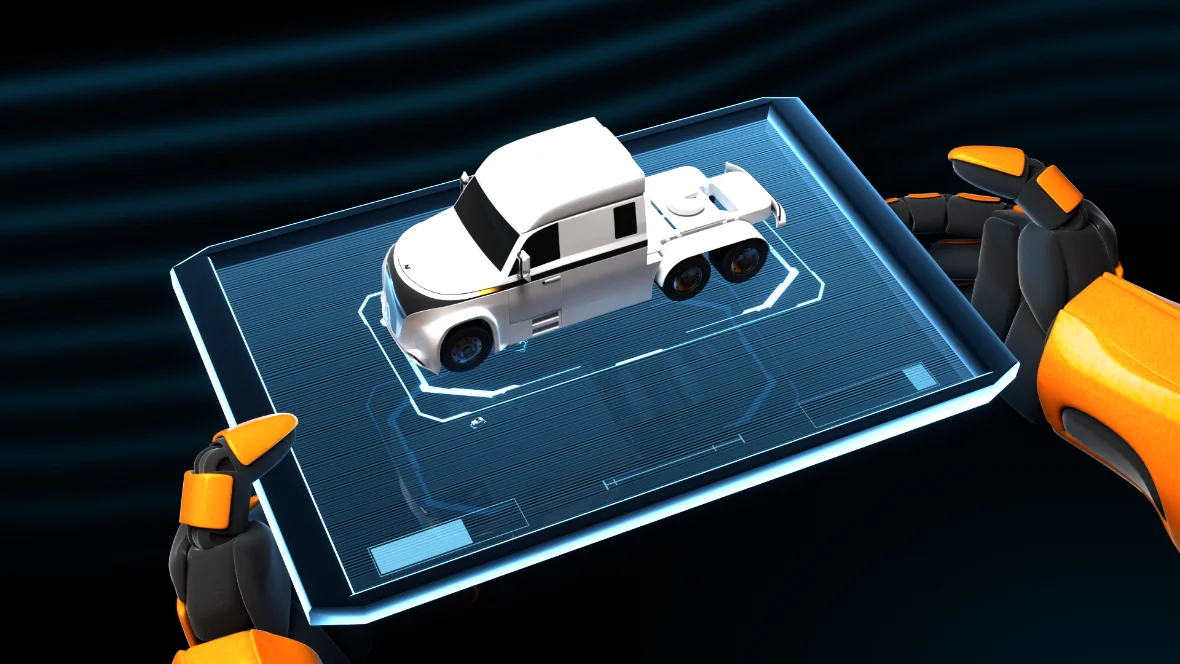
Production runs in CGI so the result does not depend on light, location or a shoot day. We designed AVT's own vehicles — now patented company IP — and built them modular, so a truck cab becomes a bus and a van cab becomes an RV. Art guides per level and per frame, with good and bad references, keep 200+ clips looking like one product.

  • MODULAR 3D ASSETS: NEW BODY TYPES REUSE APPROVED GEOMETRY
  • ART GUIDES PER LEVEL AND FRAME — COMPOSITION, LIGHT, GEOMETRY
  • A CORRECTION SHIPS OVERNIGHT: NO RESHOOT, PARTNERS KEEP WORKING

OUTPUT · 200+ MODULES IN ONE VISUAL SYSTEM OVER 2 YEARS

CGI tutorial still

What we produce for AVT

4 FORMATS · ONE VISUAL SYSTEM
TUTORIALS
FORMAT 01

TUTORIALS

A standalone clip per shooting level, with prompts and checkpoints at the moments where operators usually go wrong. Each clip also plays as part of one seamless full-length walkthrough.

PROMO VIDEO
FORMAT 02

PROMO VIDEO

Website content and sales video built from the same 3D assets as the tutorials — one visual language across product, marketing and onboarding.

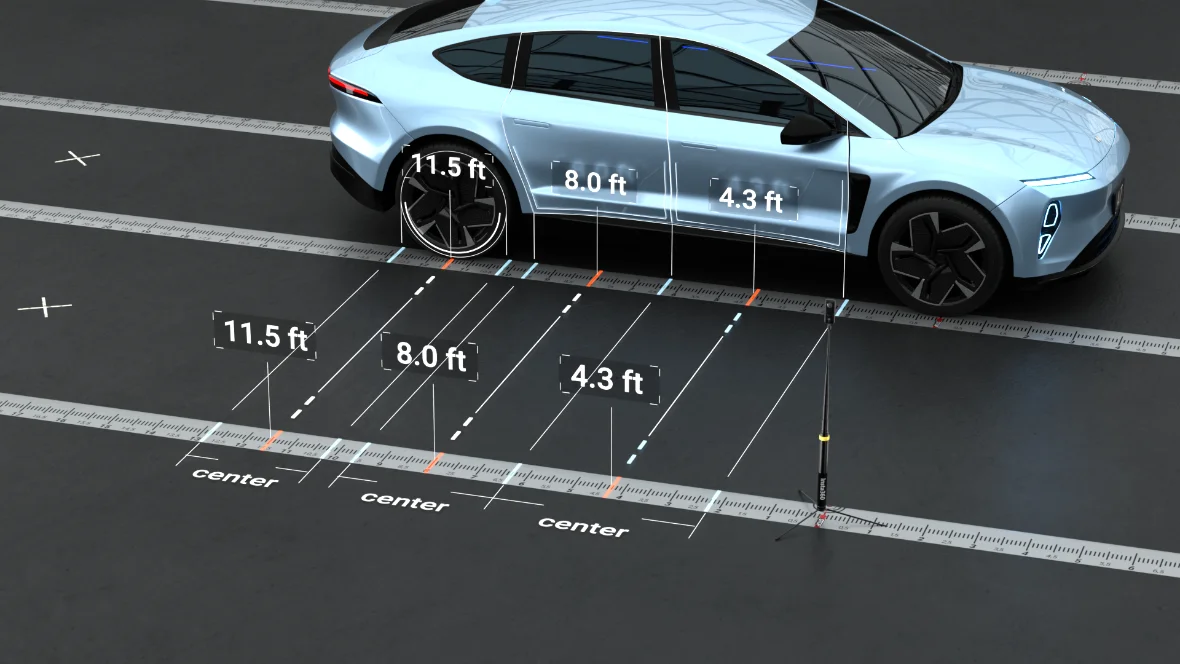
Tutorial AVT Driveway Method
FORMAT 03

Tutorial AVT Driveway Method

A tutorial for AVT's new high-volume capture technology — how a large fleet is shot fast, and how the operator has to move, stand and act at every point of the run.

Website content
FORMAT 04

Website content

A short videos for every block of AVT’s website — each one showing the capability that block describes, built from the same assets as the tutorials.

See it in live

All of this material is live on AVT's own website — tutorials, promo and product video working together as one system.

VISIT AUTOMOTIVEVT.COM ↗
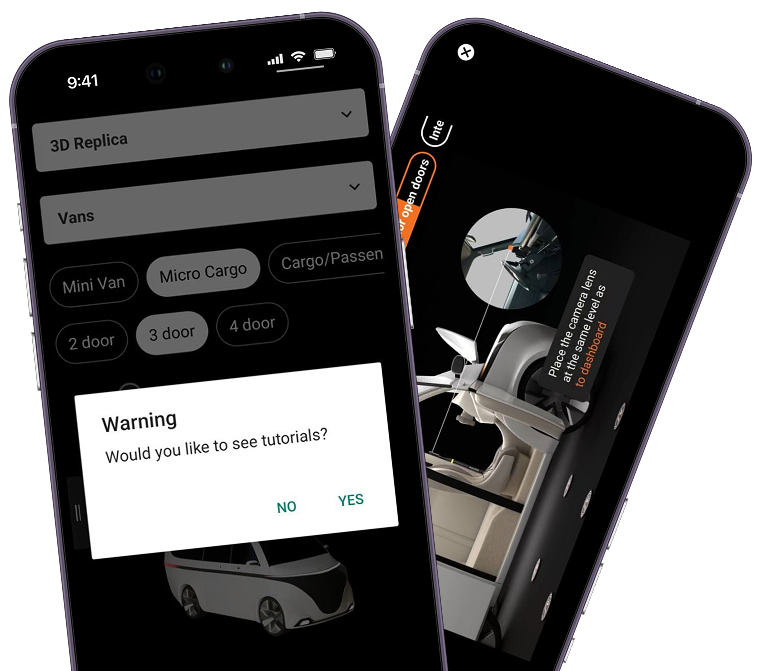
INSIDE THE APP

Modular tutorials, one per level

Tutorials are integrated into the app module by module — one for every level of the process. The operator opens exactly the level they are on.

The same modules play as a single full-length video for onboarding, and as standalone pieces at the moment of work. One production, both modes.

ONE MODULE PER LEVEL OF THE PROCESS
STANDALONE CLIP OR SEAMLESS FULL VIDEO
UPDATED LEVEL BY LEVEL, WITHOUT A RESHOOT
In-app tutorials on phone screens
CLIENT

“We build interactive 3D replicas of vehicles from real photography. Creating an accurate tour requires a precise multi-level shooting methodology. Any mistake in the process and the tour won't stitch together. So we decided to build a tutorial system and embed it directly into the app.

Woonsel Studio came in, learned how the technology works, understood the nuances of the shooting methodology, and analyzed how to optimize the tutorial structure across different vehicle configurations. All of that thinking went into the production.

We currently have 200+ video tutorials across 7+ vehicle types, website content and promo videos, and we're still adding more. Honestly, they don't feel like an outside team at this point.”

MOYSEY FATAKHOV — FOUNDER, AVT

Let's map your process

We'll look at where people make mistakes, what it costs, and whether a visual system makes sense for your case. A 20-minute call is enough to understand if we can help.